Every screen,
before you install.
No mockups and no staged marketing renders — these are the actual screens, captured from the app on a phone and a tablet. Scroll through the whole study loop and decide for yourself.
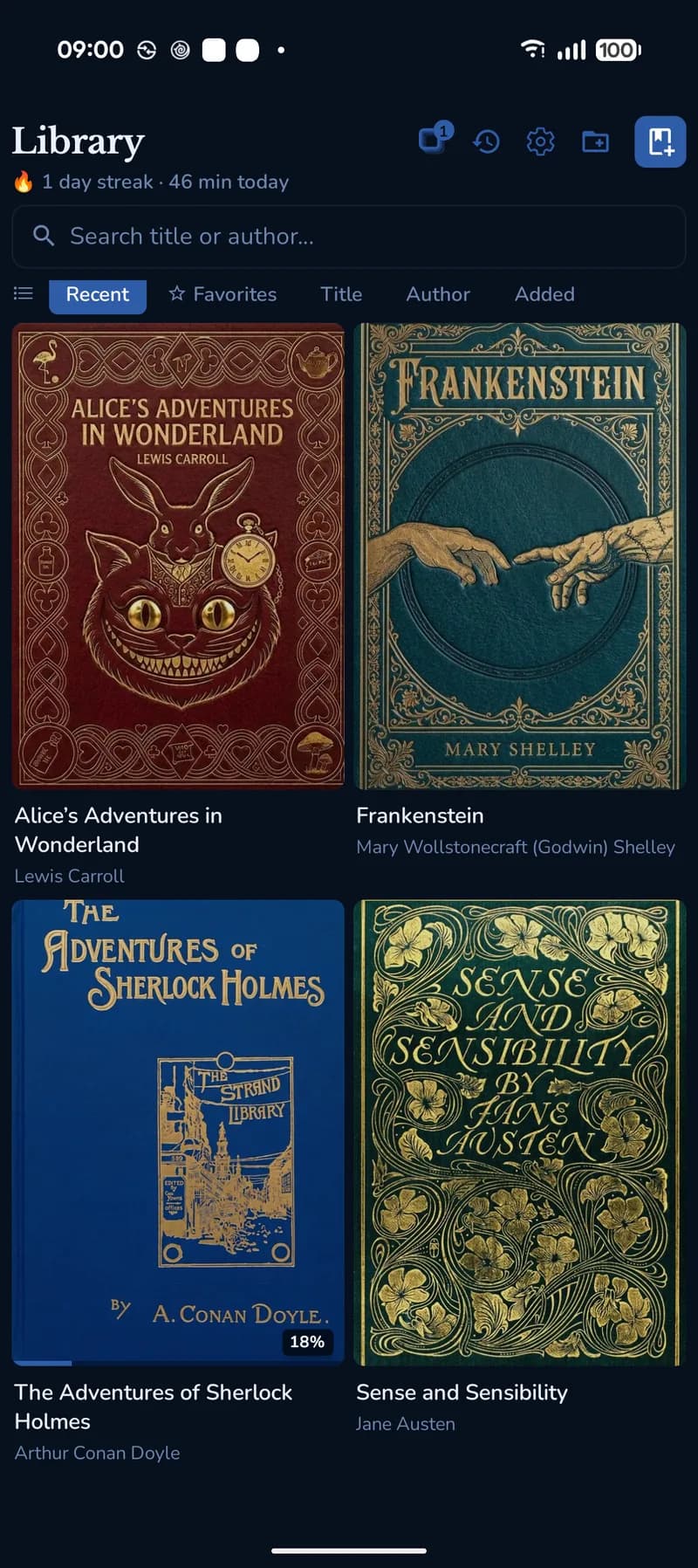
Library · every book encrypted on import
Read it. Mark it.
Actually remember it.
Six screens, one library. Nothing here needs an account, a connection, or a second app.
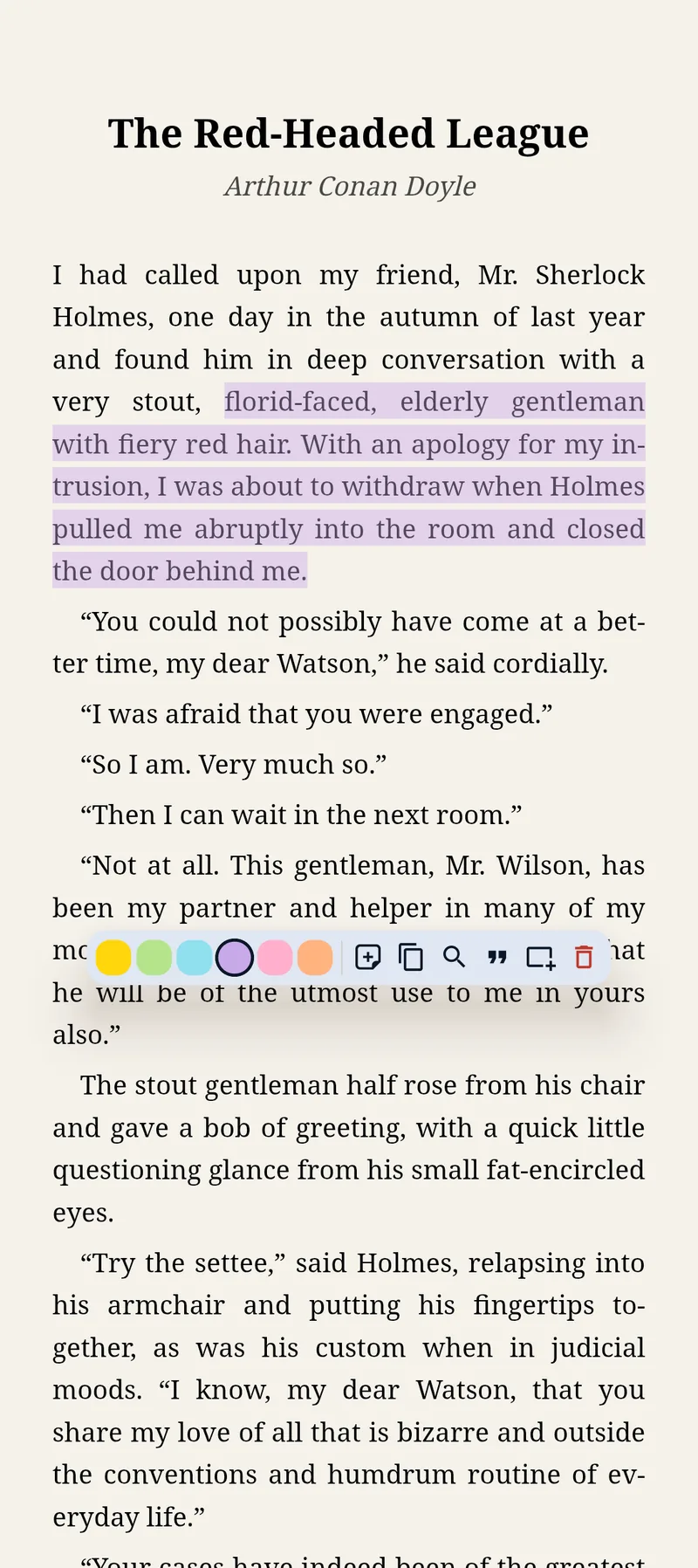
Six colours, one tap
Select a passage and the toolbar comes to you — colour it, attach a typed note, copy it, search it, or send it straight to your review deck. The highlight anchors to the text itself, so it stays put when you change the font size.
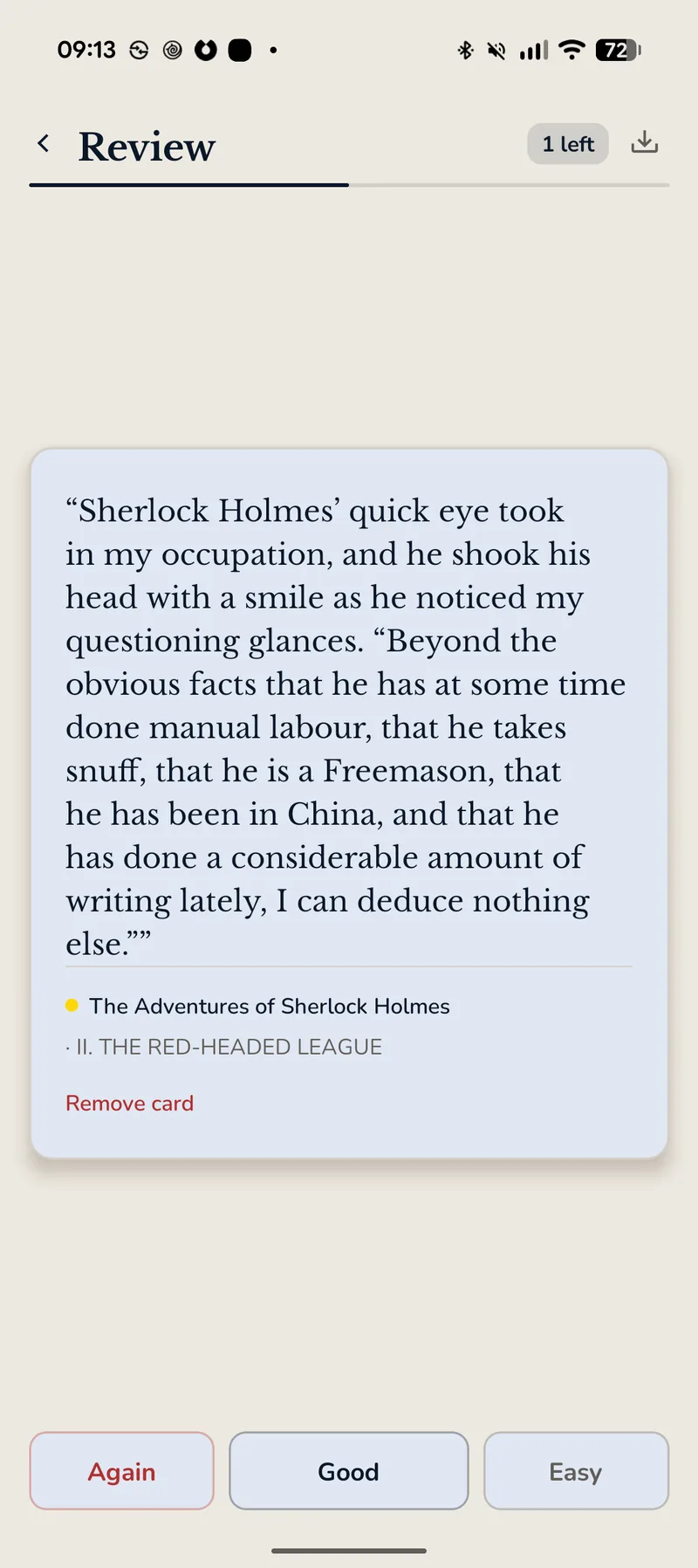
Your highlights, waiting as flashcards
Everything you marked shows up on the Review page as a spaced-repetition deck. Each card keeps the book and chapter it came from, so a half-remembered quote is one tap away from its context. Already run Anki? Import the .apkg and drill it here.
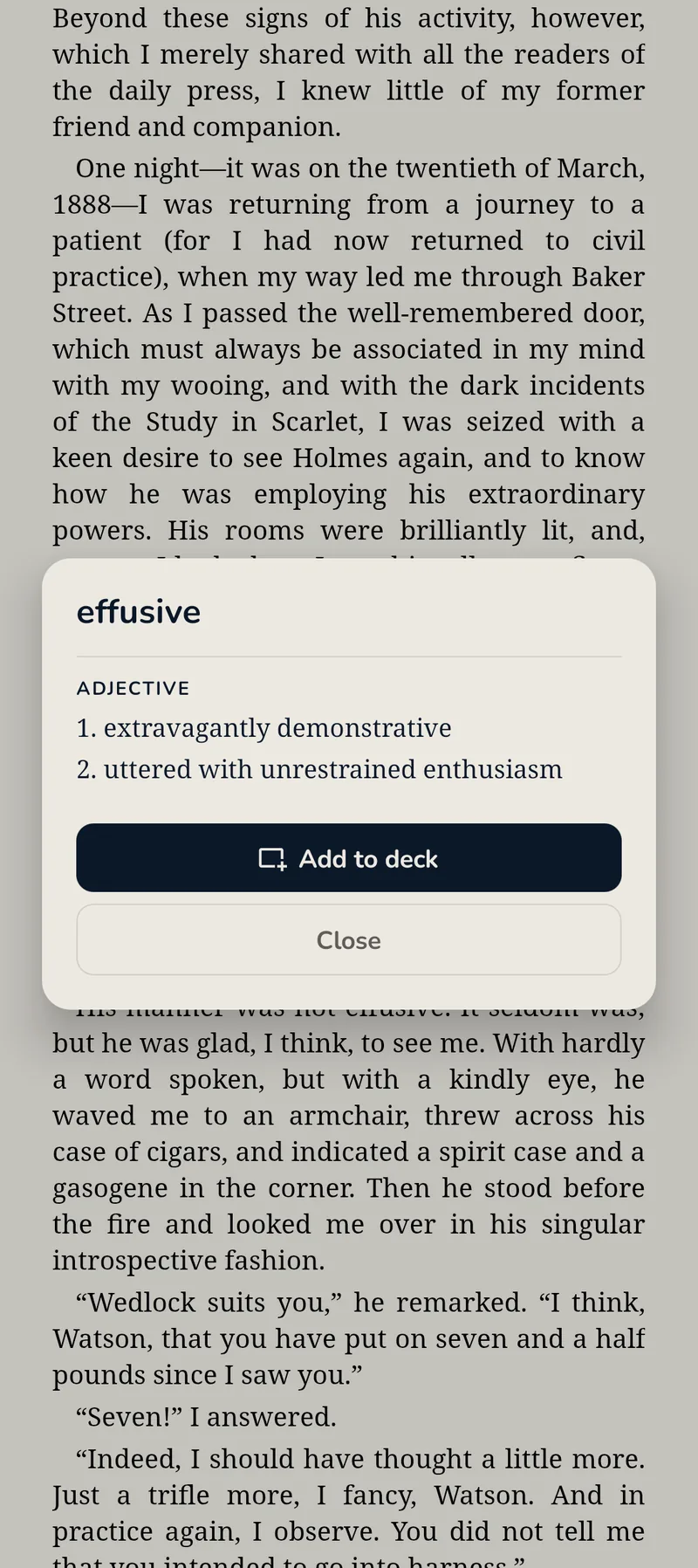
Look a word up without losing the sentence
Tap an unfamiliar word and the definition opens over the page — the paragraph is still there behind it. If the word is worth keeping, Add to deck turns it into a flashcard on the spot.
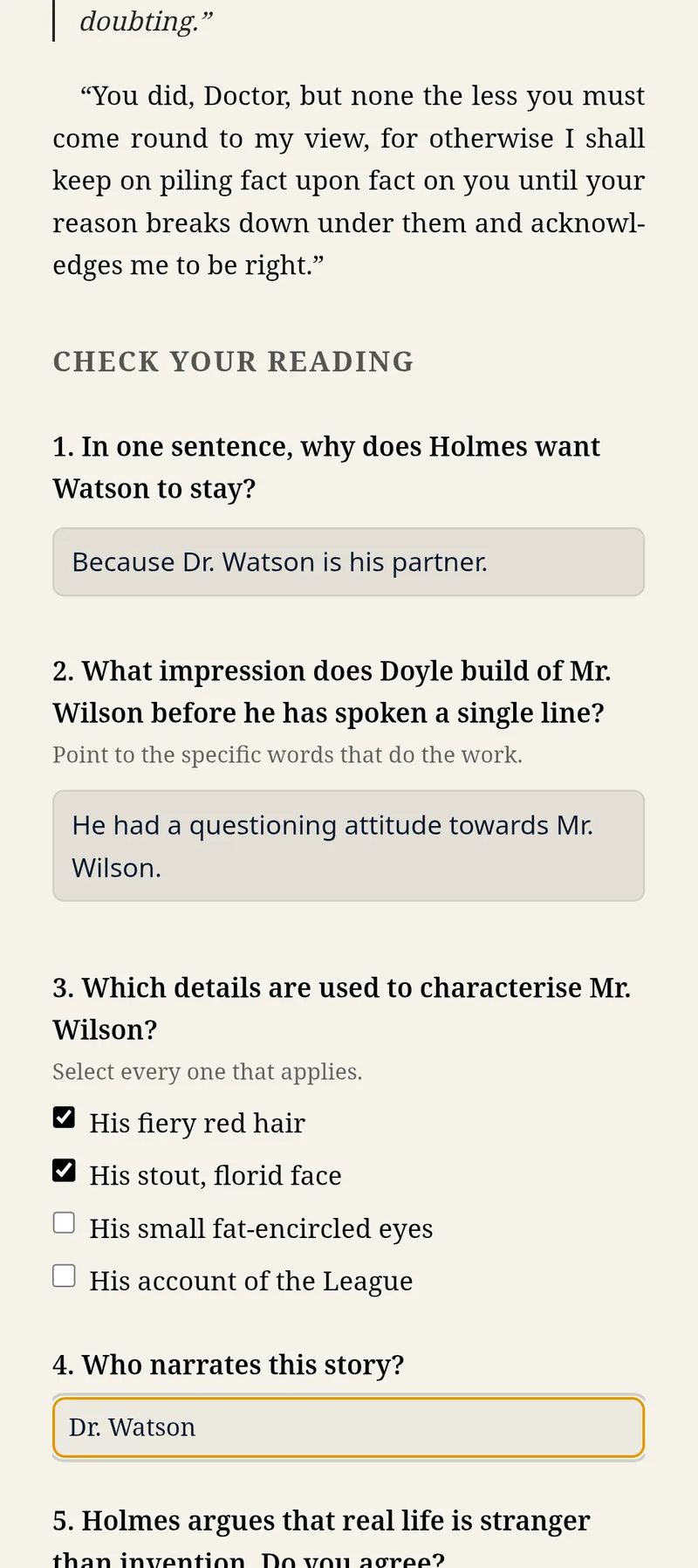
Exercises that remember what you typed
Interactive EPUB workbooks render the way the author built them — free-text answers, checkboxes, multiple choice. Everything you enter saves itself as you go. Close the app mid-question and it's still filled in next week.
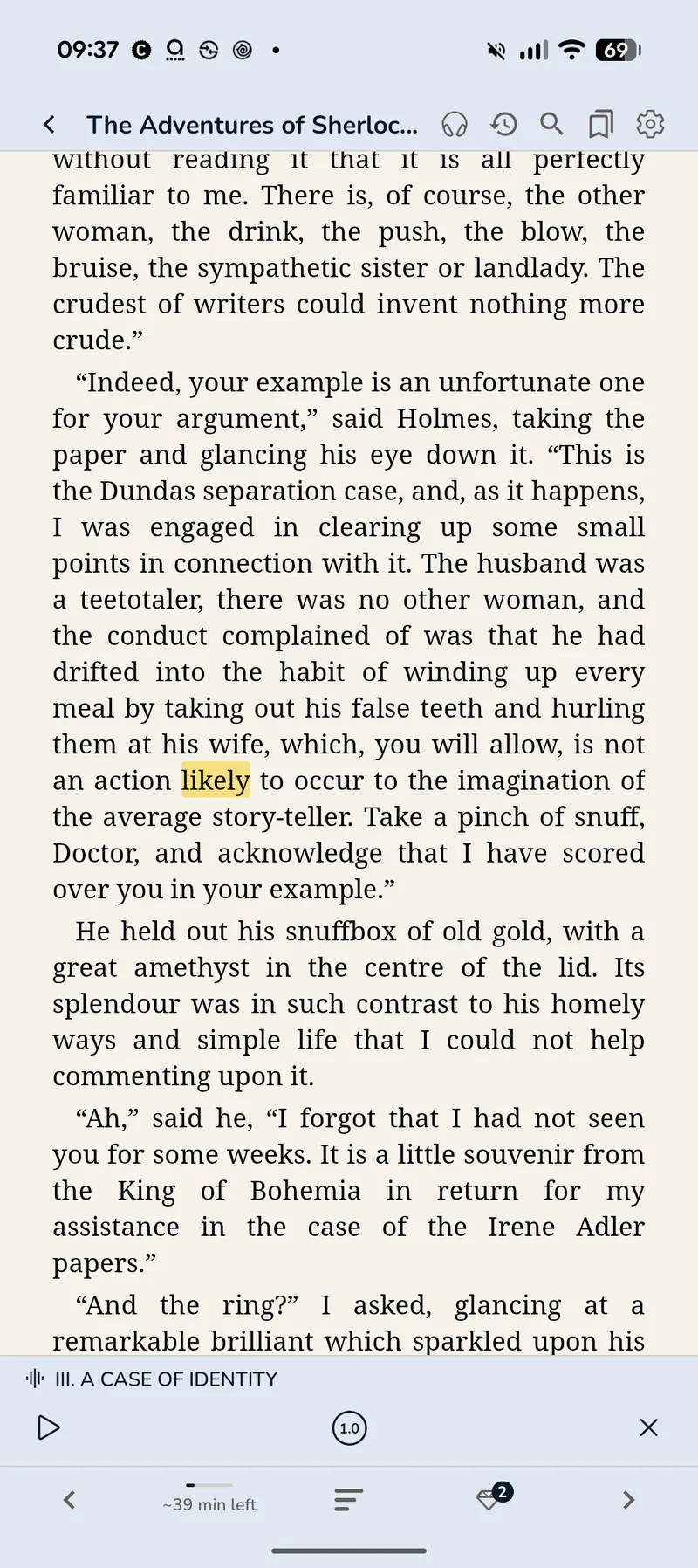
A chapter that fits a commute
Text-to-speech narrates any book with the current sentence highlighted as it goes, plus speed control, lock-screen controls, and an estimate of how much of the chapter is left. It runs on the phone's own voices — nothing is uploaded to be read.
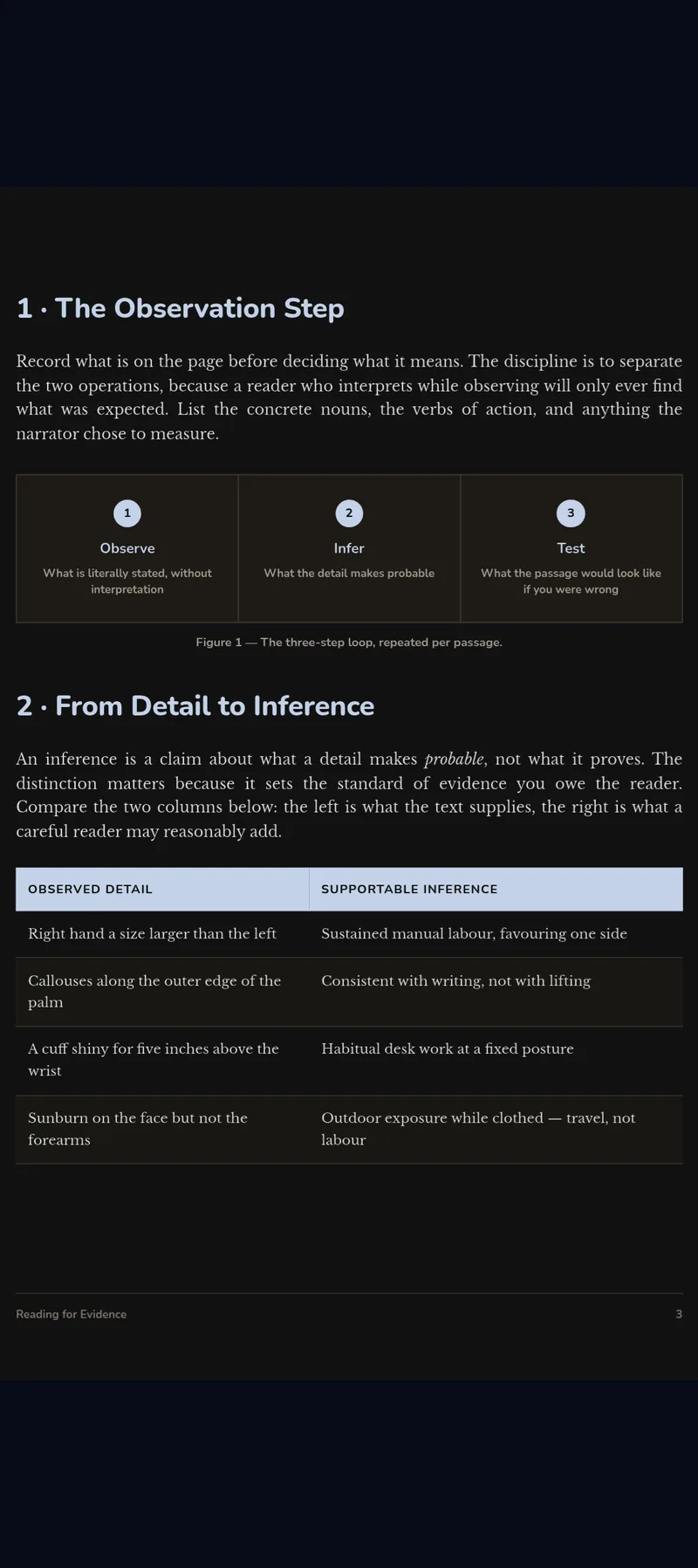
Lecture PDFs in the same library
Handouts, papers and scanned course readers sit on the same shelf as your EPUBs, highlight the same way, and feed the same review deck. Dark mode recolours the page instead of inverting it, so figures and tables stay legible.
Two documents.
One screen.
On a larger screen the layout opens up rather than stretching — a second document, or your notes, alongside what you're reading.
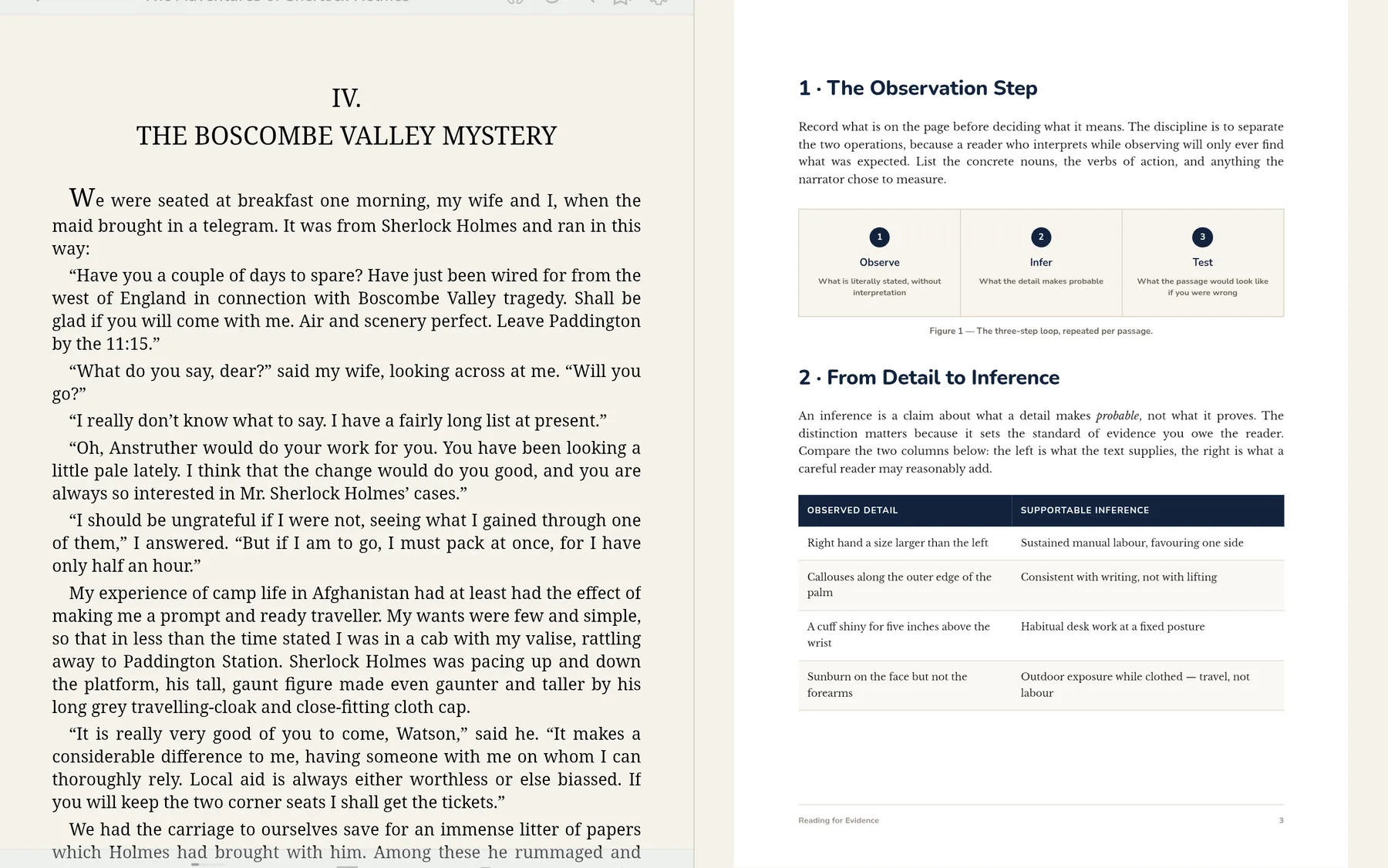
A book and a PDF, side by side
Put the set text next to the lecture handout and read across both. Two documents, one app, no window juggling.
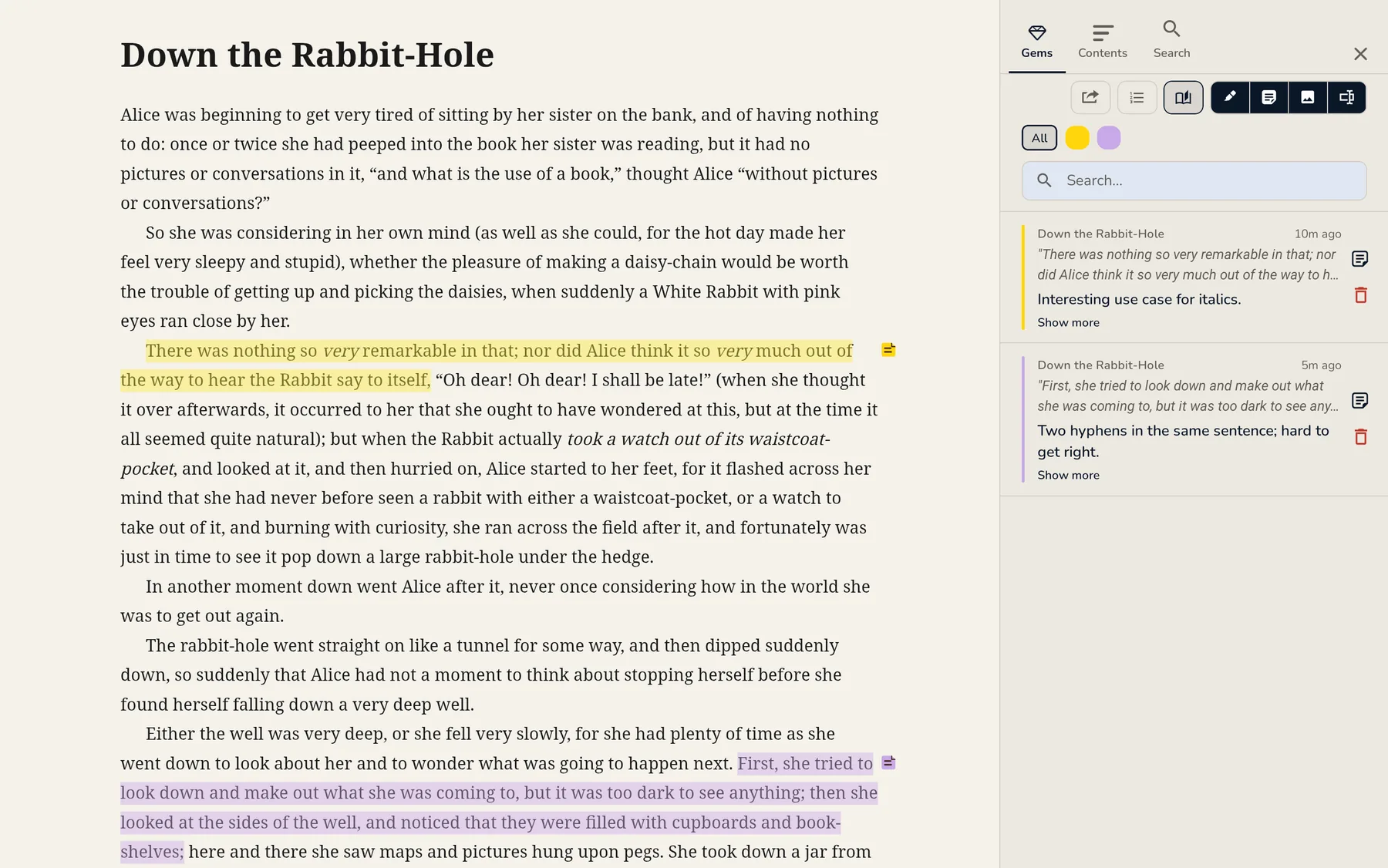
Your notes beside the page
The Gems rail lists every highlight and note in the book, filtered by colour and searchable — open beside the text instead of on top of it.
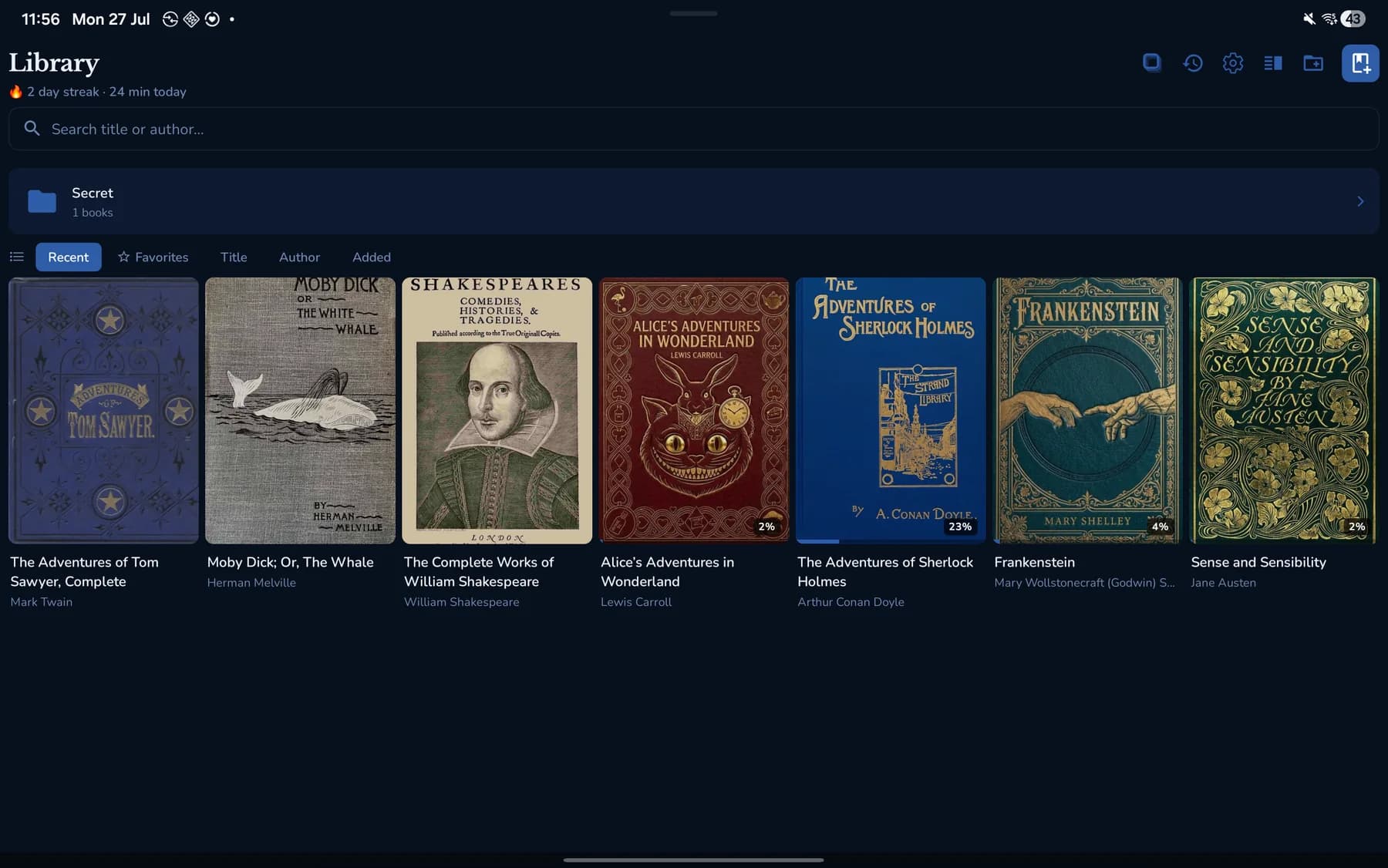
The whole shelf at a glance
Covers, progress, reading streak, and any PIN-locked folders — the wide layout puts a full term's reading on one screen.
Phone · Tablet · Same library, same annotations
Seen enough?
Open your own book in it.
Free for Android. No sign-up, no cloud, no setup — import a textbook or a PDF and start marking it up in seconds.
Android 10+ · EPUB & PDF · Free forever